1. Understanding the Rajasthan SSO ID
The Rajasthan SSO ID (Single Sign-On ID) is a mandatory, unique digital identity established by the Government of Rajasthan. Its core objective is to centralize and simplify citizen access to government schemes, job portals, and various private services. By requiring only one login, the SSO ID eliminates the need for multiple usernames and passwords, creating a truly seamless digital experience.

Core Benefits of Using SSO ID LOGIN
Centralized Portal Access
Access to over 150+ government and private services—everything from job applications to utility payments—using one single set of credentials.
Completely Free and Secure
Creating and using your SSO ID is completely free for all eligible users. The platform ensures data security and profile integrity.
Time Efficiency
Significantly reduces paperwork and the time spent visiting government offices, bringing services directly to the citizen's home.
Profile Upgrades
You can log in and update your profile information anytime, ensuring your digital identity remains accurate for all services.
2. Step-by-Step SSO ID Registration Tutorial
The process to create your Rajasthan SSO ID is mandatory for Rajasthan residents, registered businesses, and government employees. The required identity proof differs based on your category.
2.1. Registration for Citizens (using Jan Aadhaar)
- Visit the official SSO portal and click the "Registration" button.
- Select the "Citizen" tab and choose "Jan Aadhaar" as the registration method.
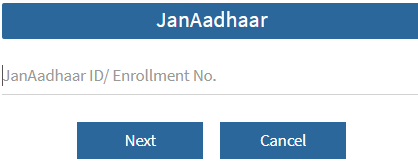
- Enter your Jan Aadhaar Card number and proceed to verify.
- Select your name from the family list. An OTP will be sent to the registered mobile number for verification.
- Enter the OTP, then create a strong, unique SSO ID username and a new password.
- Provide your mobile number and email ID, and click "Register" to complete your SSO ID creation.
2.2. Registration for Udyog (Industry/Business)
- On the SSO portal registration page, select the "Udyog" tab.
- Use your Business Register Number (BRN) to initiate the registration.
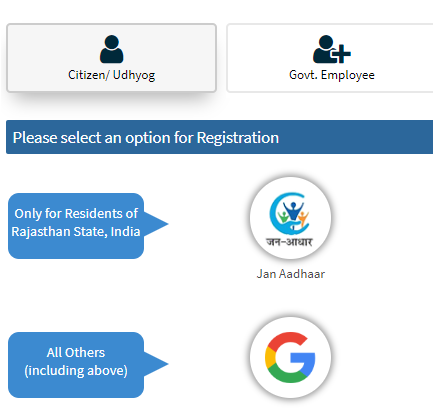
- The system will automatically fetch your business details from government records. Verify this information.
- Create your unique SSO ID username and a strong password for the business account.
- Provide the registered business mobile number and email address.
- Click "Register" to finalize the business SSO ID.
2.3. Registration for Government Employees
- On the SSO portal registration page, select the "Govt. Employee" tab.
- Choose the "SIPF" (State Insurance and Provident Fund) option.
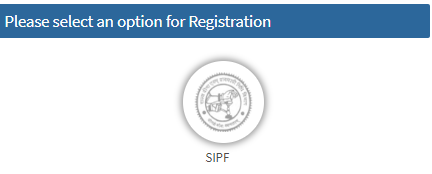
- Enter your SIPF number and the password linked to your existing SIPF account for authentication.
- Your official employee details will be loaded. Your employee ID will typically be used as your SSO ID.
- Set a new, strong password, confirm your mobile number, and complete the registration process.
3. What Can You Do with Your SSO ID? (150+ Services)
Your SSO ID is the master key to a universe of digital services. It allows access to more than 150+ government and citizen services, making it essential for every digital task in Rajasthan. Key service categories include:
Recruitment & Job Services
Application for all government jobs, checking results, and managing exam portals like RPSC/RSSMB. (e.g., *Rajasthan Government Job Portal Login*)
Citizen Welfare & Schemes
Access to schemes, pension applications, Bhamashah, and other social welfare benefits management.
Business & Industry (Udyog)
Business registration, application for licenses, compliance filings, and related services for entrepreneurs.
Education & University
Admission processes, scholarship applications, and access to state-run educational portals for students.
Utility & Document Services
Payment of utility bills, document verification, and updating personal records (like Jan Aadhaar details).
E-Mitra & Digitization
Access to E-Mitra services and other digitalization initiatives of the government.
4. SSO ID LOGIN and Credential Recovery
Follow these steps for a successful SSO ID LOGIN or to recover your account credentials easily from the official portal.
4.1. Standard SSO ID LOGIN
The primary login process is straightforward:
- Visit the official SSO portal.
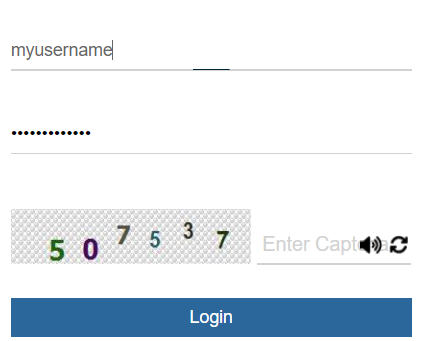
- Enter your SSO ID (Digital Identity) in the first field.
- Enter your corresponding password.
- Type the Captcha code shown.
- Click the "Login" button to proceed.
4.2. Forgot Your SSO ID?
To recover your SSO ID, click "I Forgot my Digital Identity (SSOID)" on the login page.
- You will be directed to the recovery page.
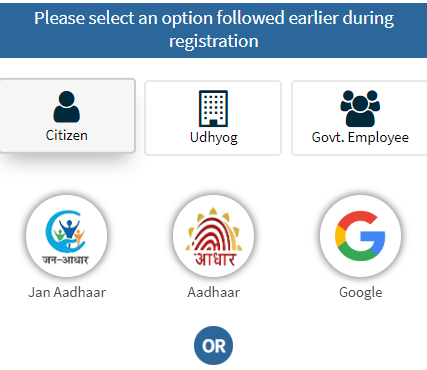
- Recover using Jan Aadhaar details.
- Recover using your registered Mobile Number.
- Your SSO ID will be sent to your registered mobile number via SMS.
4.3. Resetting SSO ID Password
Click "I Forgot my Password" on the login page.
- Enter your SSO ID and Captcha.
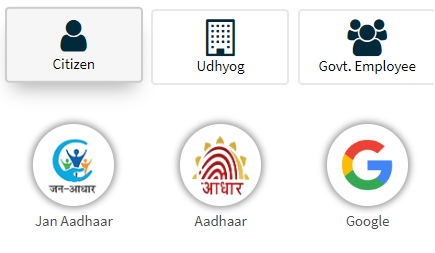
- Verify identity via Mobile, Email, or Aadhaar (choose one).
- Enter the OTP sent.
- Set a new, strong password.
Conclusion: The Power of Rajasthan SSO ID
The Rajasthan SSO ID is the cornerstone of digital governance in the state. By centralizing access for citizens, Udyog, and employees, it ensures a seamless transition to online service delivery. Whether your need is SSO ID LOGIN for a job application or learning SSO ID Registration steps, this guide provides the precise information needed to harness the full potential of your digital identity.