

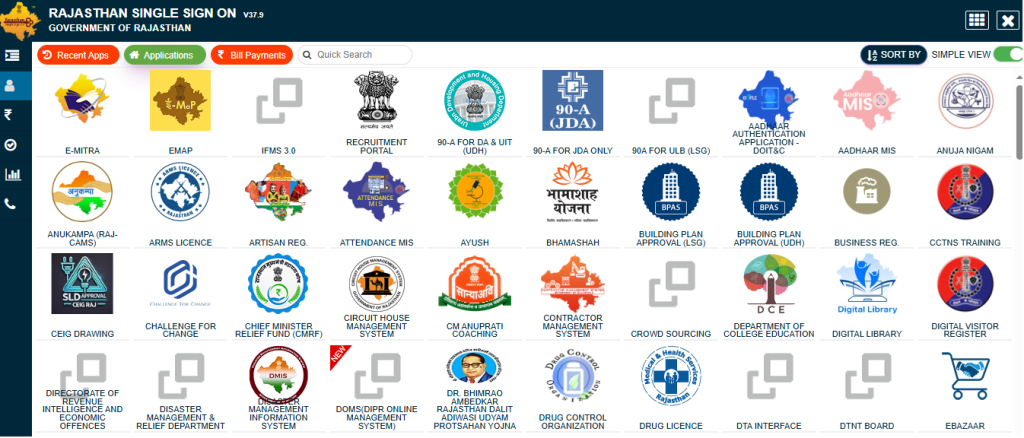
Are you a resident of Rajasthan looking to access a wide range of government services online? The Rajasthan Single Sign-On (Digital SSO ID) portal is your one-stop solution. This innovative platform simplifies interactions with various state departments, offering a seamless and secure experience. From utility bill payments to job applications and accessing educational resources, Digital SSO ID Rajasthan brings all essential services under a single, unified digital roof.

What is Rajasthan Digital SSO ID?
Your Digital SSO ID is a unique digital identity assigned to every citizen, government employee, and business in Rajasthan. Think of it as your universal key to unlock countless government services without the hassle of remembering multiple usernames and passwords. This Rajasthan Single Sign-On system ensures convenience and enhanced security for all users.
Key Features & Benefits of Digital SSO Rajasthan

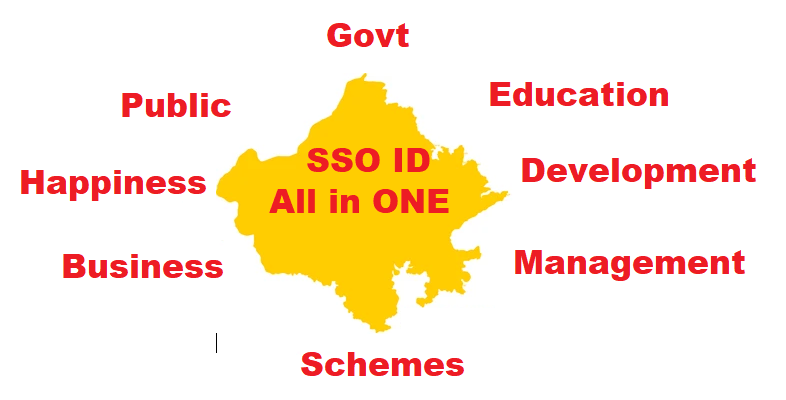
- Unified Access: Log in once and access over 100 government applications and services.
- Time-Saving: Eliminates the need for separate registrations and logins for different departments.
- Enhanced Security: A centralized system with robust security measures to protect user data.
- Personalized Dashboard: A customized view of services relevant to your profile.
- Digital Wallet Integration: Often linked with e-wallets for easy payment of fees and charges.
- Accessibility: Designed to be user-friendly, supporting various devices and internet speeds.

How to Get Your Digital SSO ID: Getting your Digital SSO ID is a straightforward process. Follow these simple steps for SSO Registration:
Total Time: 1 minute
Visit the Official Portal
Navigate to the official Rajasthan SSO website and
Choose Registration Type
Citizen: You can register using your Jan Aadhaar, Bhamashah ID, Aadhaar ID, Facebook, or Google account.
Industry: Register using your Udyog Aadhaar or Business Register Number (BRN).
Government Employee: Use your SIPF number.
Fill in Details
Provide the required information accurately. Ensure all mandatory fields are completed.
Create Password
Choose a strong, memorable password for your account.
Verify & Submit
Review your details, verify with an OTP (if required), and submit.
Once registered, your unique SSO ID will be generated, allowing you to proceed with Digital SSO Login.
Digital SSO Login: Accessing Your Digital Services
After successful registration, accessing your services is easy. Here’s how to perform Rajasthan Digital SSO Login:
- Go to the SSO Portal: Open the official Rajasthan SSO website.
- Enter Credentials: Input your Digital SSO ID and the password you created during registration.
- Captcha Verification: Enter the displayed captcha code for security purposes.
- Click Login: Hit the “Login” button to access your personalized dashboard.
From your dashboard, you can view and utilize all available government services.
What if You Forget Your SSO ID or Password? Digital SSO Forget Password
It’s common to forget login details. The SSO Rajasthan portal provides an easy recovery process if you need to perform a Digital SSO Forget Password action or retrieve your ID:
To Retrieve Your Digital SSO ID:
- On the login page, look for the “Forget SSO ID” or “Forgot Username” option.
- You might be asked to provide your registered mobile number, email address, or Aadhaar number.
- Follow the on-screen instructions to receive your SSO ID via SMS or email.
To Reset Your SSO Password:
- Click on the “Forget Password” link on the SSO Login page.
- You will be prompted to enter your Digital SSO ID.
- Choose a verification method (e.g., through registered mobile number, email, or Aadhaar OTP).
- Enter the OTP received and set a new, strong password for your account.
Essential Services Accessible via Rajasthan Digital SSO
The Rajasthan Single Sign-On platform offers a comprehensive suite of services, including but not limited to:
- e-Mitra Services: Utility bill payments, certificate applications (domicile, caste, etc.).
- Job Applications: Access to various state government job portals and application forms.
- Education: Scholarship applications, university admissions, and examination services.
- Health: Online appointments, health scheme information.
- Land Records: Access to ‘Apna Khata’ for land record details.
- Pension Services: Status checks and application for various pension schemes.
- Business & Industry: Licenses, registrations, and compliance services.
- Jan Soochna Portal: Access to public information on government schemes.
Frequently Asked Questions (FAQs)
Q1: Is Digital SSO ID mandatory for all government services in Rajasthan?
A1: While not strictly mandatory for all services, an Digital SSO ID significantly streamlines access to the majority of digital government services, making your interaction much easier.
Q2: Can I link my Aadhaar card to my SSO ID?
A2: Yes, linking your Aadhaar card to your SSO ID is highly recommended as it enhances security and simplifies identity verification for many services.
Q3: Is there a mobile app for Rajasthan Digital SSO?
A3: The Rajasthan SSO portal is typically accessible via web browsers on mobile devices. Some specific department apps might integrate with SSOID, but the primary access is through the official website.
Q4: What should I do if I encounter an issue during SSO Registration or Login?
A4: You can contact the Rajasthan SSO helpdesk for support. Their contact details are usually available on the official SSO portal.
Stay Connected with Digital Rajasthan!
The Rajasthan SSO portal is a testament to the state’s commitment to digital governance. By embracing your Digital SSO ID, you step into a world of convenience, transparency, and efficient public service delivery. Make the most of this powerful platform to manage your civic duties and access essential services with ease.
[todayliveblog]